NemosGo®

NemosGo Feldtest · Ihre AnleitungNemosGo Field Test · Your guide

Willkommen — so geht's los.Welcome — here's how to start.

Schön, dass Sie dabei sind. Hier finden Sie alles, um den Feldtest zu starten: Installation, Kommunikation, ein Erklärvideo und Antworten auf häufige Fragen. Getestet wird beim Neuen Morgenblatt — unter feldtest.neuesmorgenblatt.de.Glad you’re on board. Here you’ll find everything you need to start the field test: installation, communication, an explainer video and answers to frequently asked questions. The test runs at Neues Morgenblatt — at feldtest.neuesmorgenblatt.de.

Wie möchten Sie durch die Anleitung?How would you like to go through the guide?

Los geht'sGetting started

InstallationInstallation

1 · Einladung annehmen und App installieren1 · Accept the invitation & install the app

Sie erhalten zwei Einladungs-Mails auf Ihre Apple-Account-E-Mail — am besten direkt auf dem iPhone öffnen:You receive two invitation emails to your Apple Account email — ideally open them right on your iPhone:

Hinweis: Die Einladungen werden manuell versendet; eine Automatisierung ist während des Tests nicht möglich. Die Mails können daher zeitverzögert ankommen.Note: the invitations are sent manually; automation isn’t possible during the test. The emails may therefore arrive with some delay.
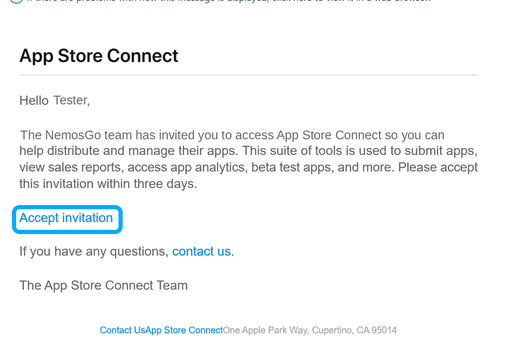
  1. Von „App Store Connect“ (Absender no_reply@email.apple.com) → „Accept invitation“. Diese erste Mail wird leicht übersehen und landet manchmal im Spam — dort bitte auch nachsehen.From “App Store Connect” (sender no_reply@email.apple.com) → “Accept invitation”. This first email is easy to miss and sometimes lands in spam — please check there too.
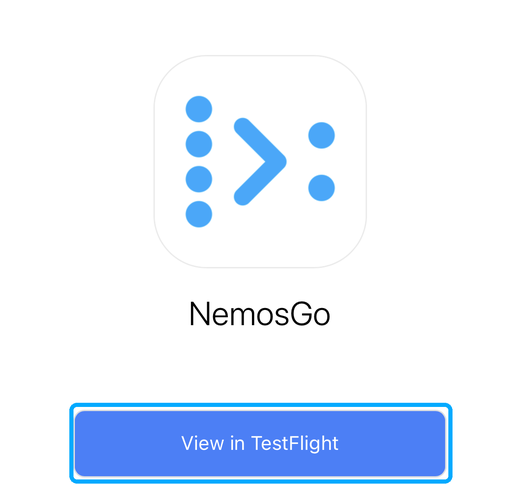
  2. Von TestFlight (Apple; Absender endet auf @email.apple.com) → „View in TestFlight“. Falls Sie TestFlight noch nicht haben, kurz kostenlos aus dem App Store laden.From TestFlight (Apple; sender ends in @email.apple.com) → “View in TestFlight”. If you don’t have TestFlight yet, quickly download it free from the App Store.

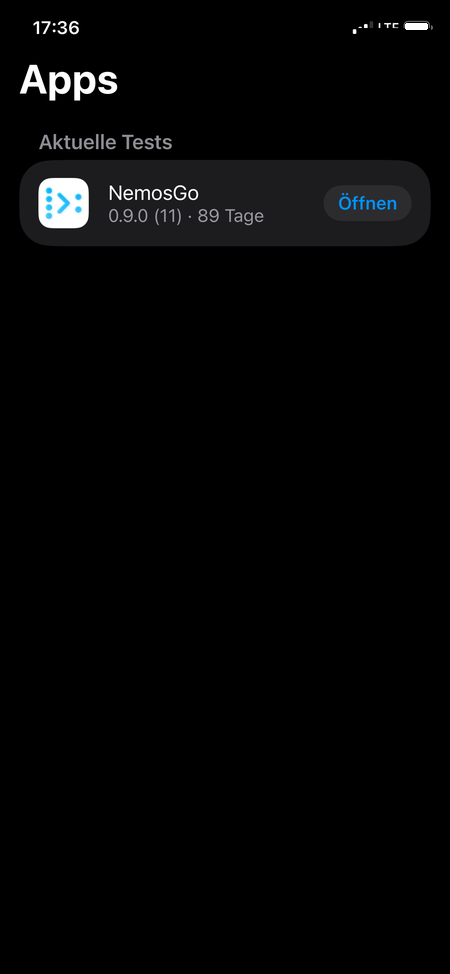
Dann in TestFlight auf „Installieren“ tippen — die NemosGo-App wird geladen.Then tap “Install” in TestFlight — the NemosGo app downloads.

App-Store-Connect-Einladung
1 · App Store Connect1 · App Store Connect
TestFlight-Einladung
2 · TestFlight2 · TestFlight
Installieren
InstallierenInstall

2 · In NemosGo anmelden2 · Sign in to NemosGo

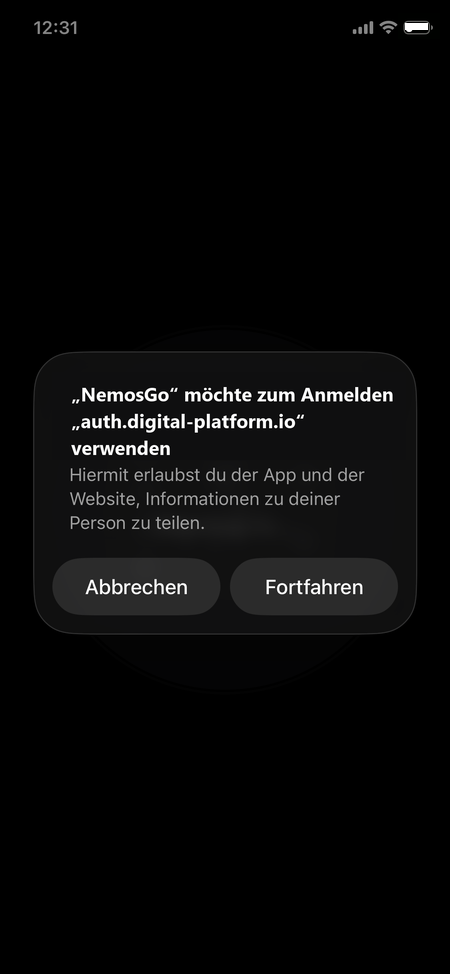
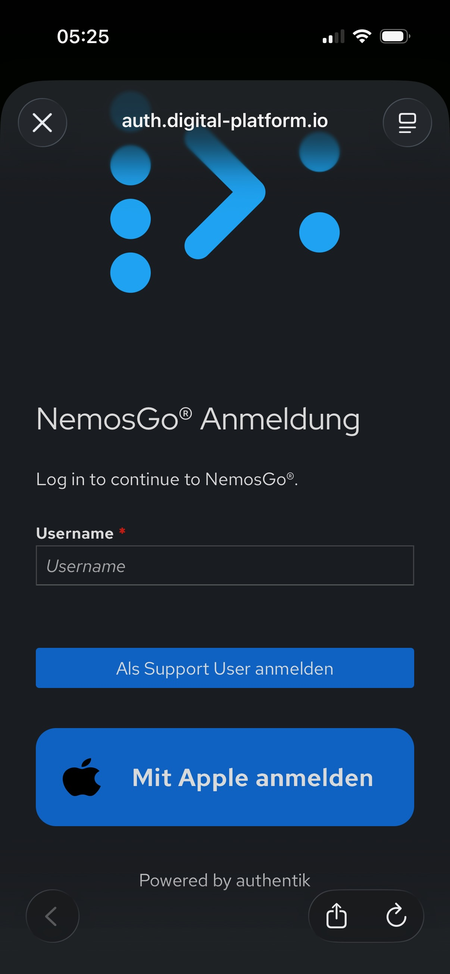
NemosGo öffnen und mit Ihrem Apple-Account anmelden:Open NemosGo and sign in with your Apple account:

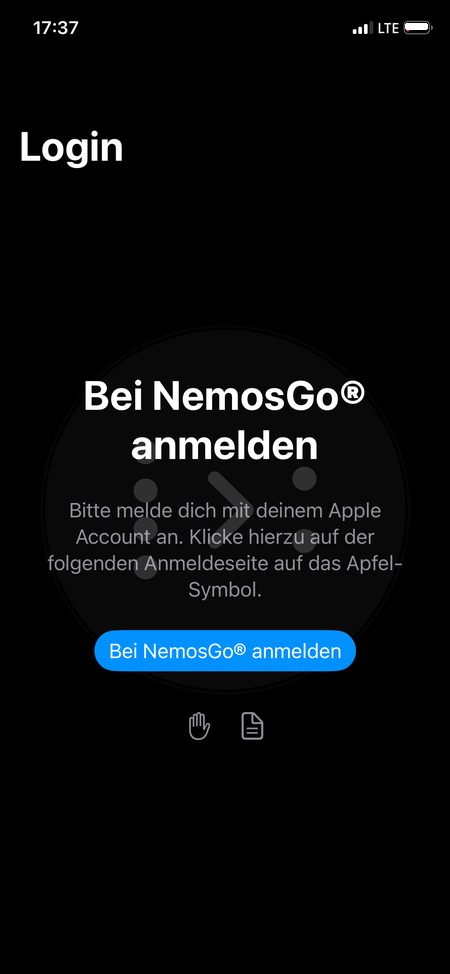
  1. Auf „Login“ tippen.Tap “Login”.
  2. Die Authentifizierung starten.Start authentication.
  3. Auf „Mit Apple anmelden“ tippen — innerhalb von ca. 25 Sekunden, sonst erscheint eine Fehlermeldung (dann App schließen und neu starten).Tap “Mit Apple anmelden” (Sign in with Apple) — within about 25 seconds, otherwise an error appears (then close the app and restart it).
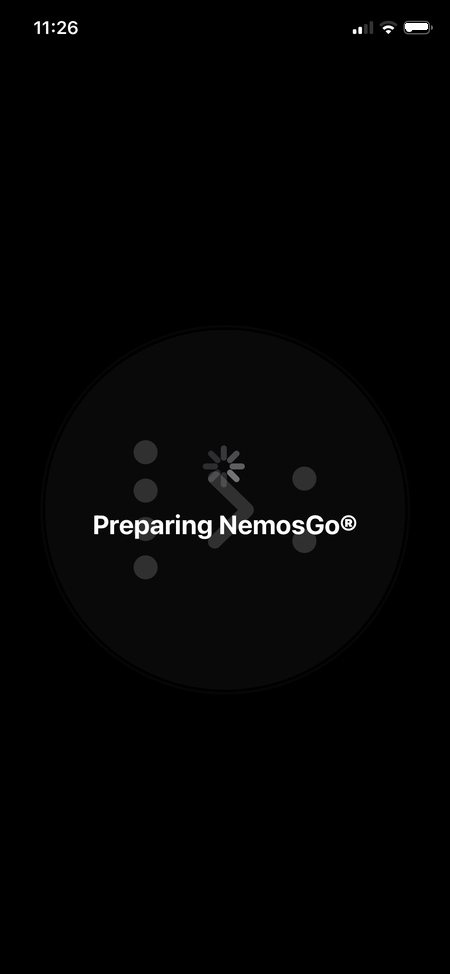
  4. Kurz die Vorbereitung abwarten.Wait briefly for the setup to finish.
Login
LoginLogin
Authentifizierung
AuthentifizierungAuthentication
Apple Anmeldung (Mit Apple anmelden)
Apple Anmeldung
(„Mit Apple anmelden“)
Apple sign-in
(“Mit Apple anmelden”)
Vorbereitung
VorbereitungPreparing
Wichtig: NemosGo benötigt Zugriff auf die Kamera — zum Scannen der QR-Codes. Bitte die Abfrage beim ersten Mal erlauben, sonst funktioniert das Bezahlen per QR-Code nicht.Important: NemosGo needs access to the camera — to scan the QR codes. Please allow it when prompted, otherwise paying by QR code won’t work.

AustauschExchange

KommunikationCommunication

3 · Mattermost einrichten3 · Set up Mattermost

In drei Schritten eingerichtet:Set up in three steps:

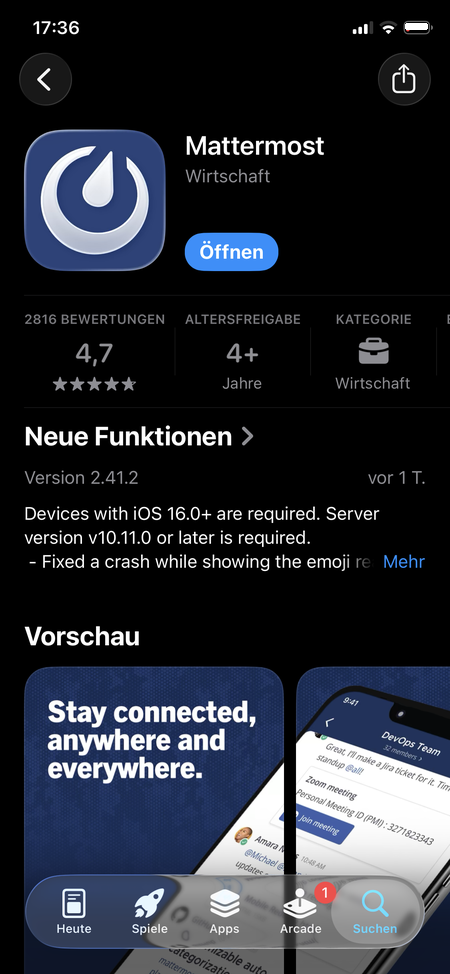
  1. Die kostenlose Mattermost-App aus dem App Store laden.Download the free Mattermost app from the App Store.
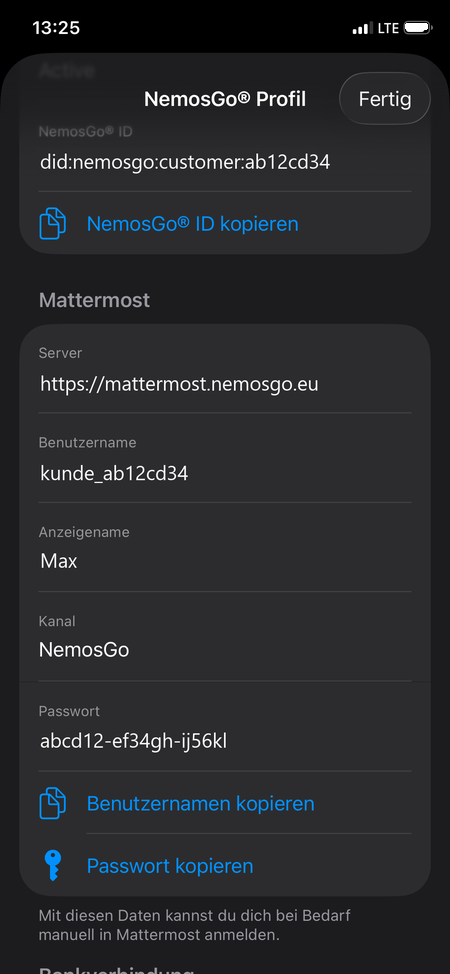
  2. Ihre Zugangsdaten in der NemosGo-App finden — unter „Personal View“ (über das Profil-Symbol oben rechts), samt Kopierfunktion.Find your credentials in the NemosGo app — under “Personal View” (via the profile icon, top right), with a copy function.
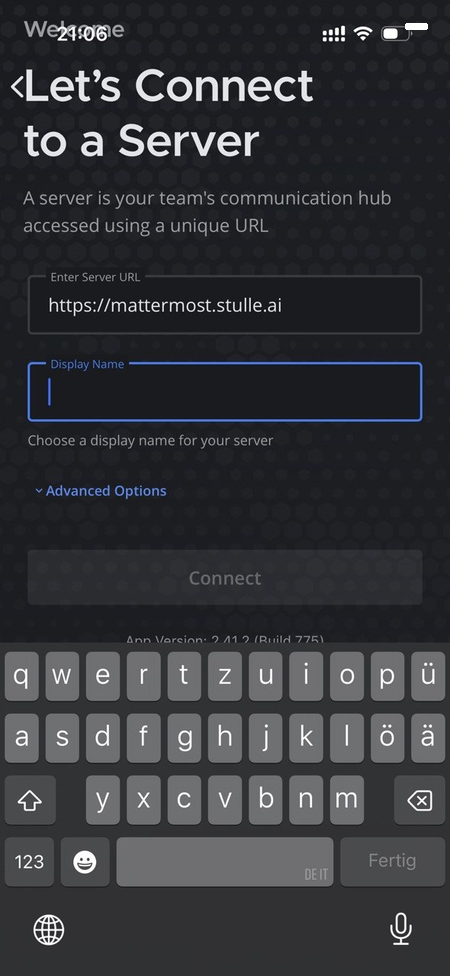
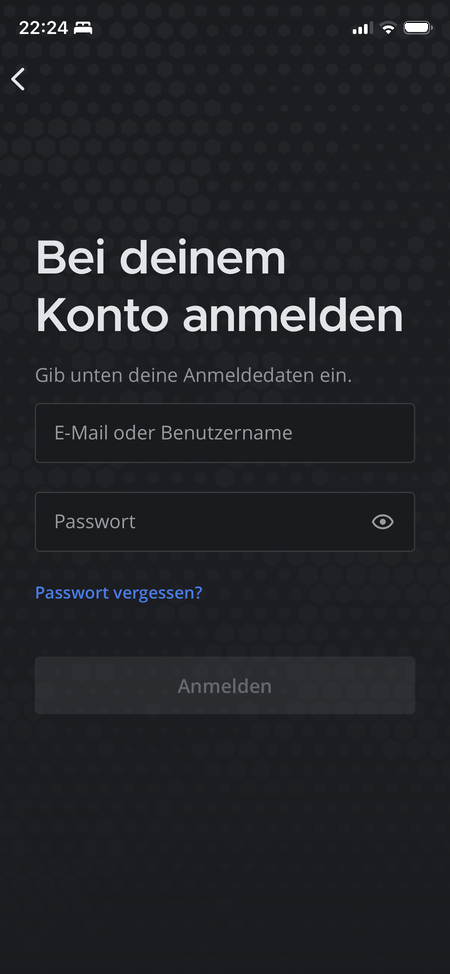
  3. Server, Benutzername und Passwort per Copy & Paste in der Mattermost-App eintragen. Tipp: zum Einfügen lange auf das Feld tippen.Enter server, username and password into the Mattermost app via copy & paste. Tip: long-press the field to paste.
Mattermost laden
Mattermost ladenGet Mattermost
Zugangsdaten in NemosGo
Zugangsdaten in NemosGoCredentials in NemosGo
Anbindung an NemosGo
Anbindung an NemosGoConnect to NemosGo
In Mattermost anmelden
In Mattermost anmeldenSign in to Mattermost

Nach dem Einrichten haben Sie die Wahl: Sie nutzen Mattermost wie gewohnt über die Mattermost-App — oder direkt in der NemosGo-App über den Reiter „NemosGo" mit dem Nachrichten-Symbol in der unteren Leiste.Once set up, you have a choice: use Mattermost as usual via the Mattermost app — or directly in the NemosGo app via the “NemosGo” tab with the messages icon in the bottom bar.

Fehlen die Zugangsdaten in der NemosGo-App? Melden Sie sich kurz per E-Mail, dann helfen wir.Missing the credentials in the NemosGo app? Just drop us an email and we’ll help.

Kauf & LesenBuy & read

So läuft ein KaufHow a purchase works

Vom Guthaben bis zum Beleg. Der eigentliche Kauf sind nur drei Schritte — am iPhone wie am Computer. Alles Übrige sind allgemeine Funktionen der NemosGo-App.From credit to receipt. The actual purchase is just three steps — on your iPhone as on your computer. Everything else is a general function of the NemosGo app.

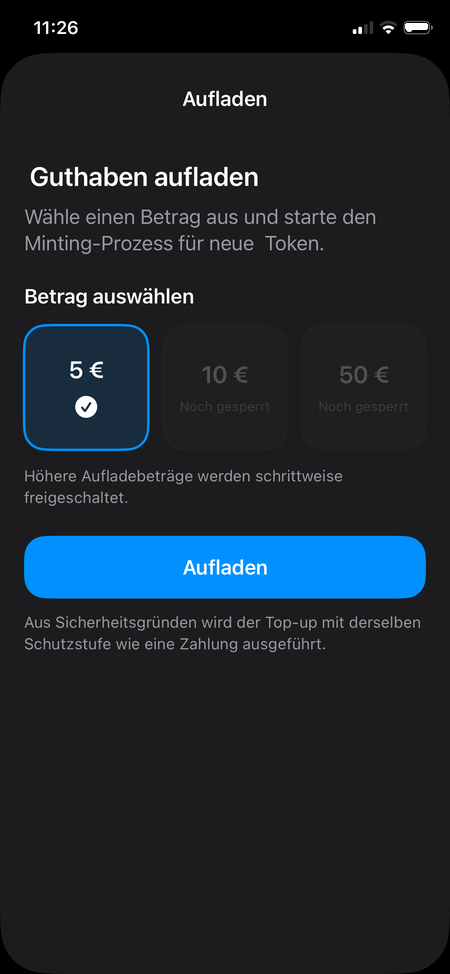
4 · Guthaben aufladen4 · Top up credit

Laden Sie einmalig Ihr Guthaben in der App auf — danach reicht es für viele Käufe. Die IBAN ist ein Pflichtfeld; Sie können dafür einfach die deutsche Beispiel-IBAN DE89 3704 0044 0532 0130 00 eintragen. Im Feldtest arbeitet NemosGo mit €-Äquivalenten — es erfolgt keine echte SEPA-Abbuchung.Top up your credit in the app once — it then covers many purchases. The IBAN is a required field; you can simply enter the German example IBAN DE89 3704 0044 0532 0130 00. In the field test NemosGo works with euro equivalents — there is no real SEPA debit.

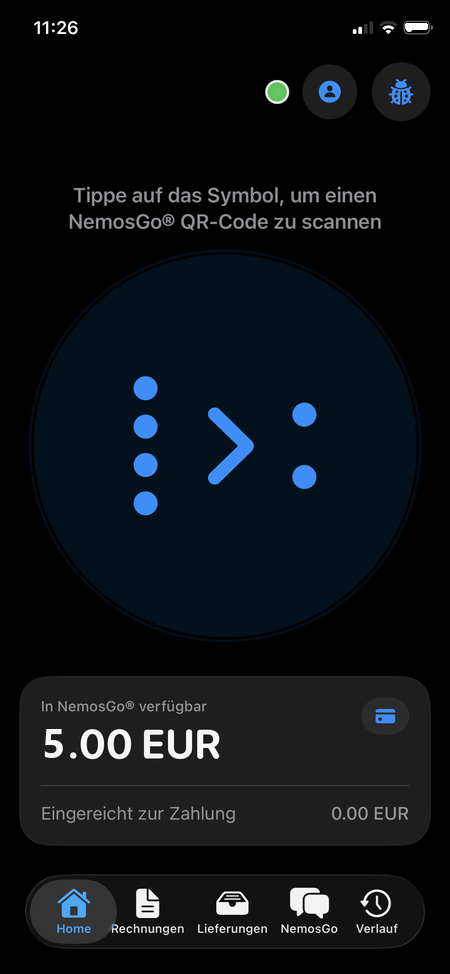
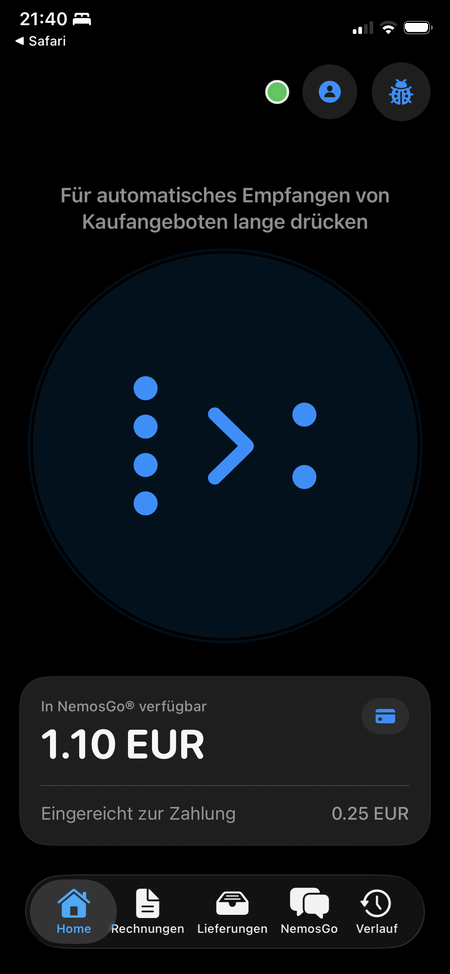
Guthaben
GuthabenCredit
Aufladen
AufladenTop up

5 · Der Kauf — drei Schritte5 · The purchase — three steps

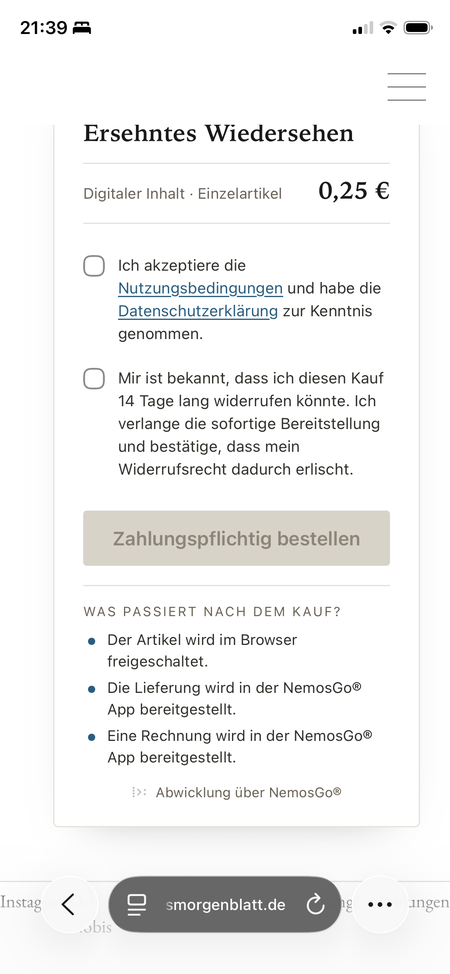
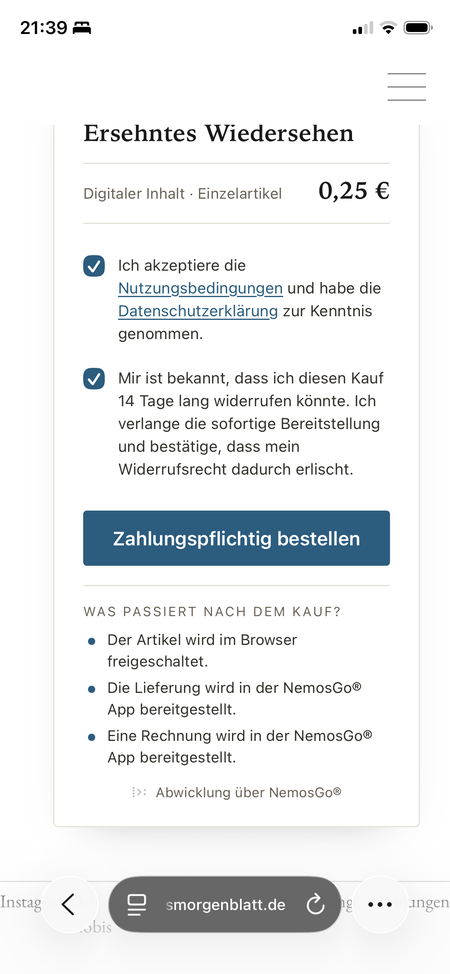
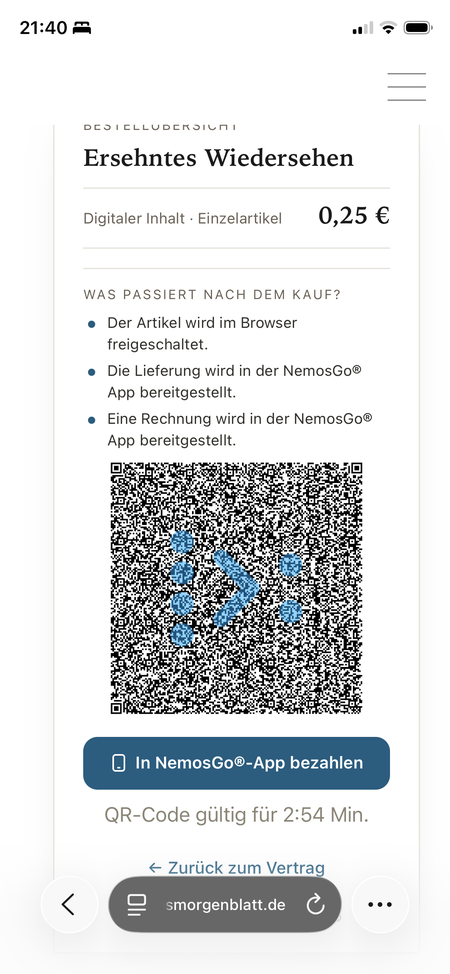
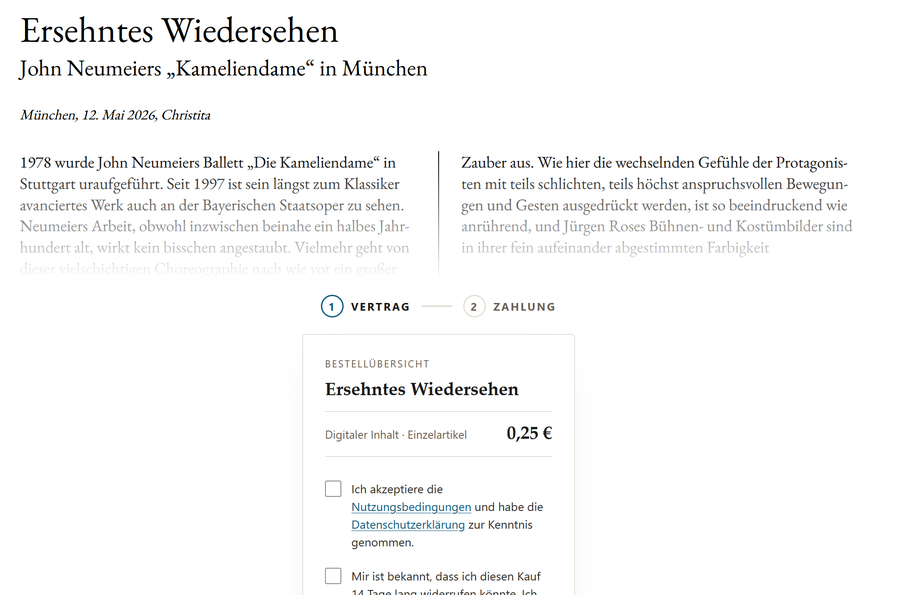
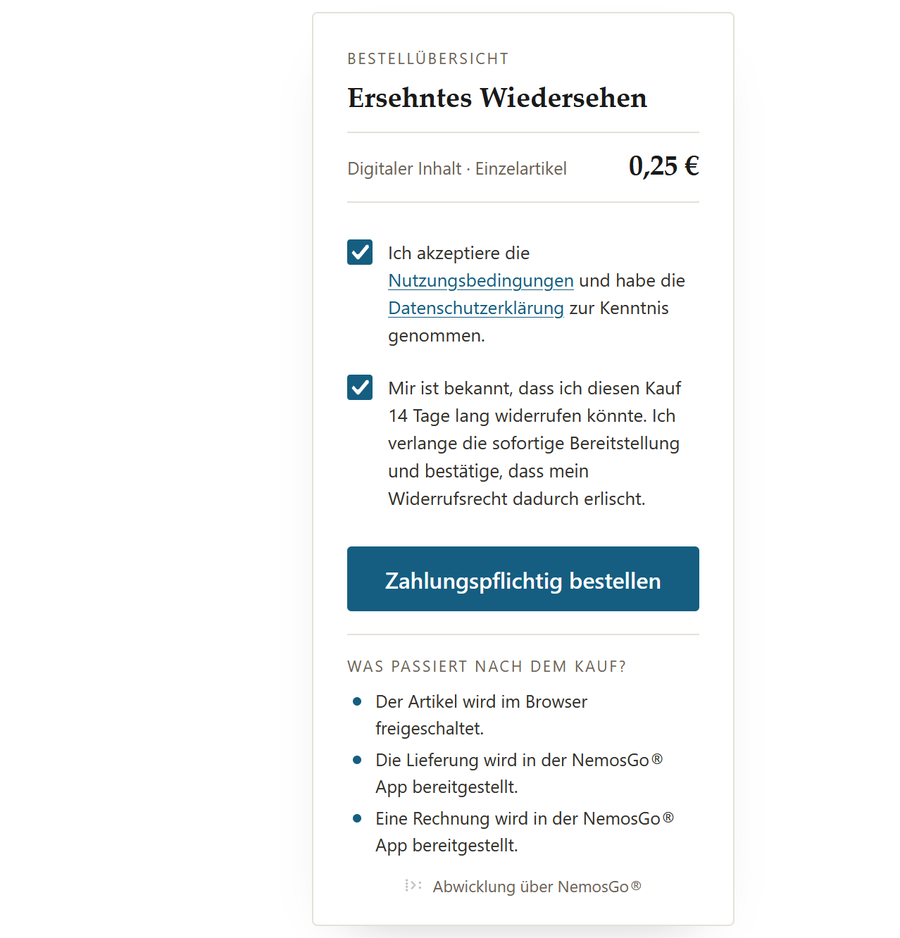
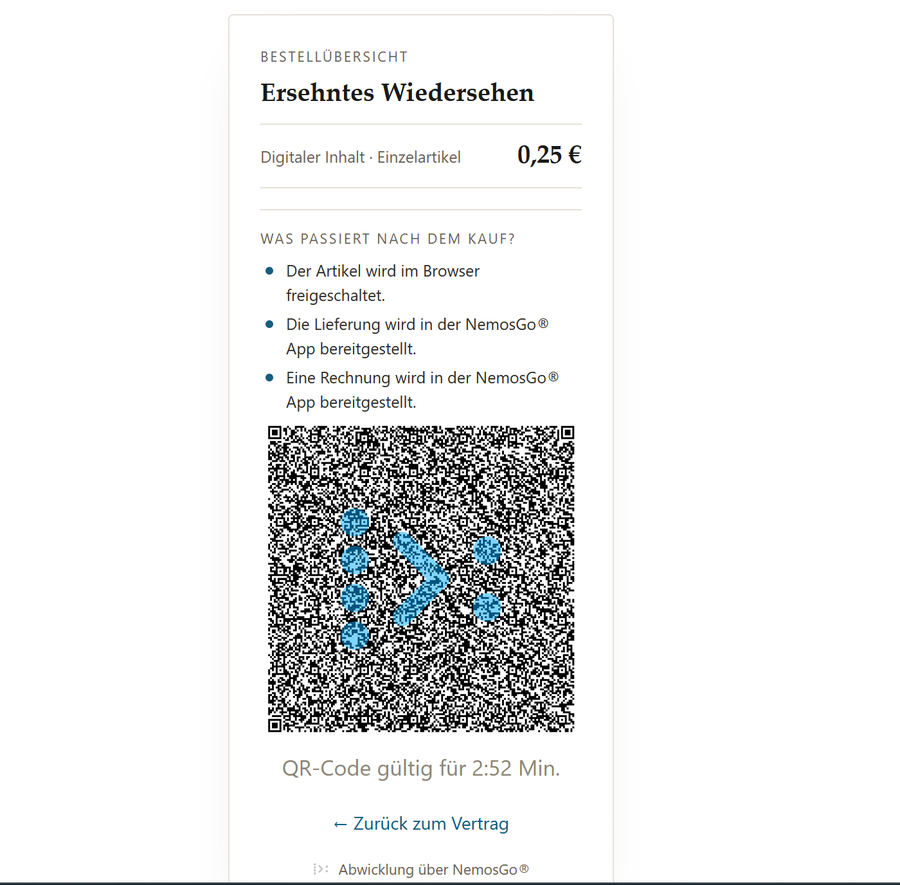
Den Artikel kaufen Sie im Browser: Öffnen Sie feldtest.neuesmorgenblatt.de und wählen Sie einen Beitrag (im Test z. B. 0,25 €). Die ersten beiden Schritte — Artikel & Vertrag und Zahlungspflichtig bestellen — sind am iPhone und am Computer gleich. Nur beim Bezahlen unterscheiden sie sich: am iPhone tippen Sie den blauen Button „In NemosGo®-App bezahlen", am Computer scannen Sie den QR-Code mit der NemosGo-App.You buy the article in your browser: open feldtest.neuesmorgenblatt.de and pick a piece (e.g. €0.25 in the test). The first two steps — article & contract and place the binding order — are the same on iPhone and computer. Only payment differs: on iPhone you tap the blue “Pay in the NemosGo® app” button, on the computer you scan the QR code with the NemosGo app.

Am iPhone — mit Bezahl-LinkOn iPhone — via pay link

Artikel & Vertrag
Artikel & VertragArticle & contract
Bestellen
BestellenOrder
Blauen Bezahl-Link antippen
Bezahl-Link antippenTap pay link

Am Computer — mit QR-CodeOn the computer — via QR code

Artikel & Vertrag
Artikel & VertragArticle & contract
Bestellen
BestellenOrder
QR-Code scannen
QR-Code scannenScan QR code

6 · Bezahlen6 · Pay

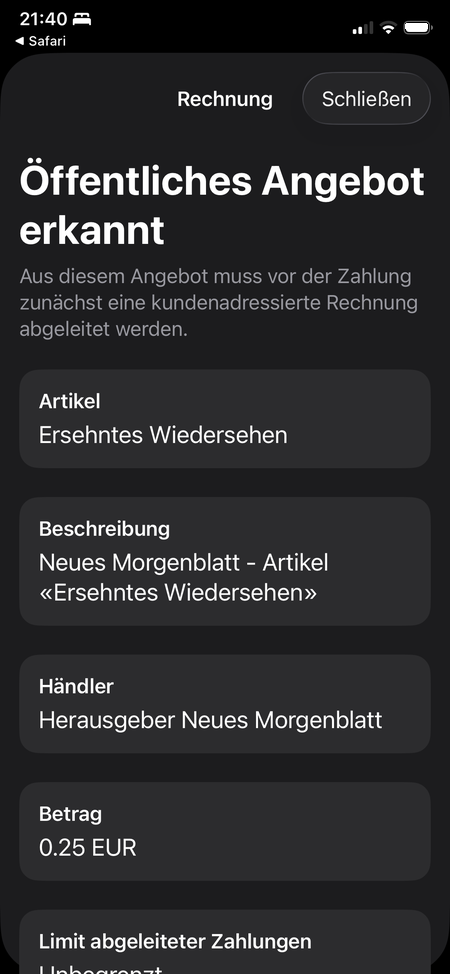
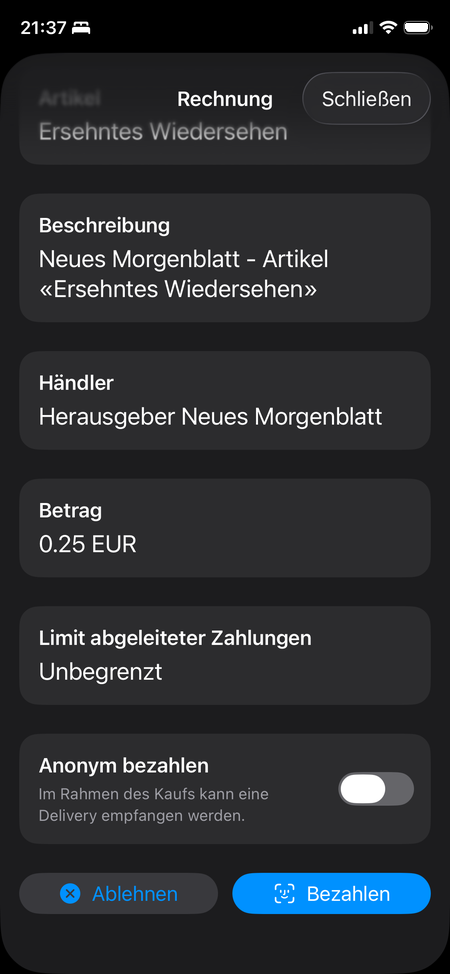
Ob per Bezahl-Link oder QR-Code — danach übernimmt die NemosGo-App: Sie erkennt das Angebot, Sie bestätigen die Zahlung, fertig.Whether via pay link or QR code — the NemosGo app then takes over: it recognises the offer, you confirm the payment, done.

Angebot erkannt
Angebot erkanntOffer recognised
Bezahlen
BezahlenPay
Bezahlt
BezahltPaid

7 · Lesen & Konsumieren7 · Read & consume

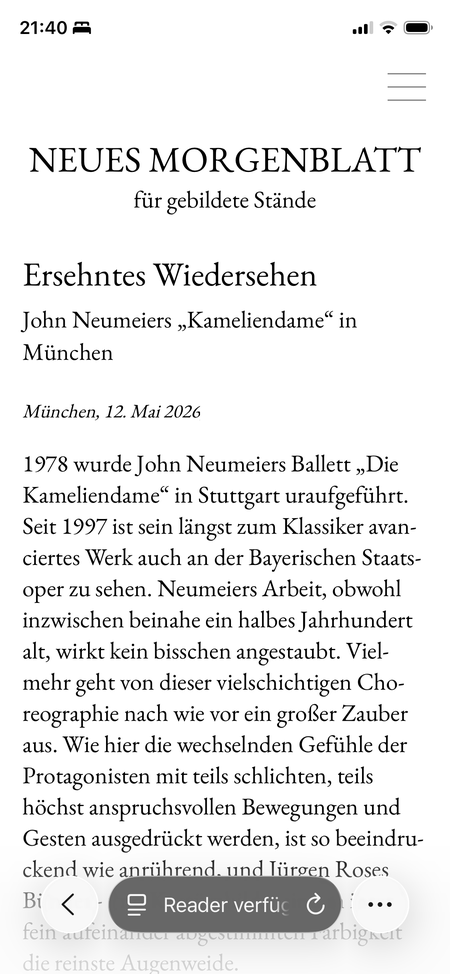
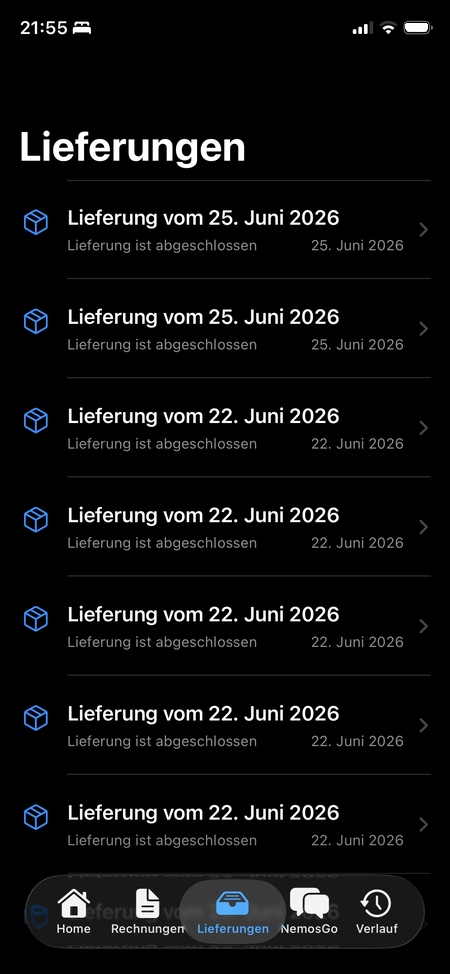
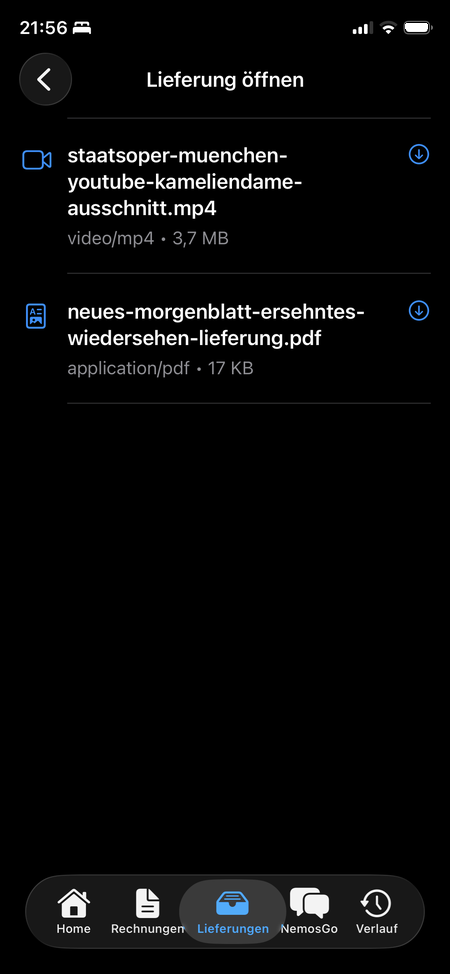
Nach dem Bezahlen fällt im Browser die Paywall — Sie lesen den Artikel direkt weiter (am iPhone ggf. zurück zu Safari wechseln). Zusätzlich erhalten Sie ihn als PDF sowie, je nach Verfügbarkeit, weitere Lieferungen wie Video, Bild oder Audio. Alles liegt in der NemosGo-App unter „Lieferungen" bereit.After payment the paywall drops in your browser — you keep reading the article right there (on iPhone, switch back to Safari if needed). You also receive it as a PDF plus, depending on availability, further deliveries such as video, image or audio. Everything is available in the NemosGo app under “Deliveries”.

Lesen
LesenRead
Lieferungen
LieferungenDeliveries
Dateien
DateienFiles

8 · Belege & Übersicht8 · Receipts & overview

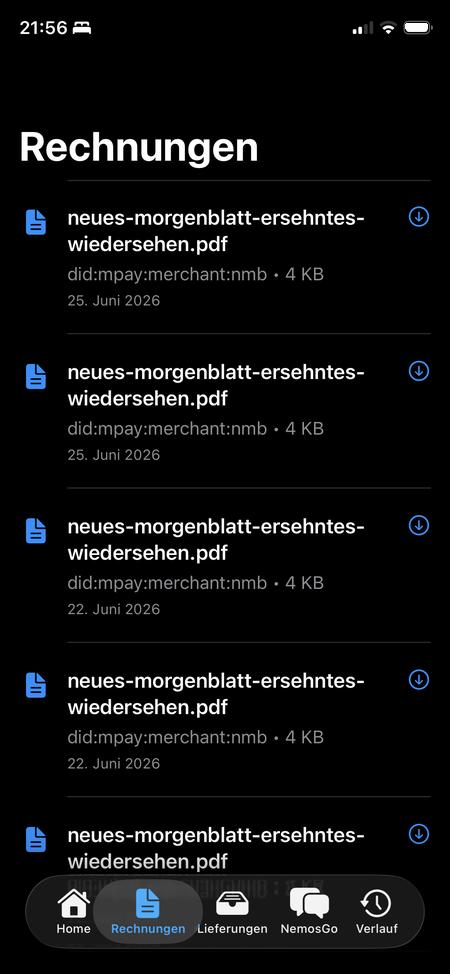
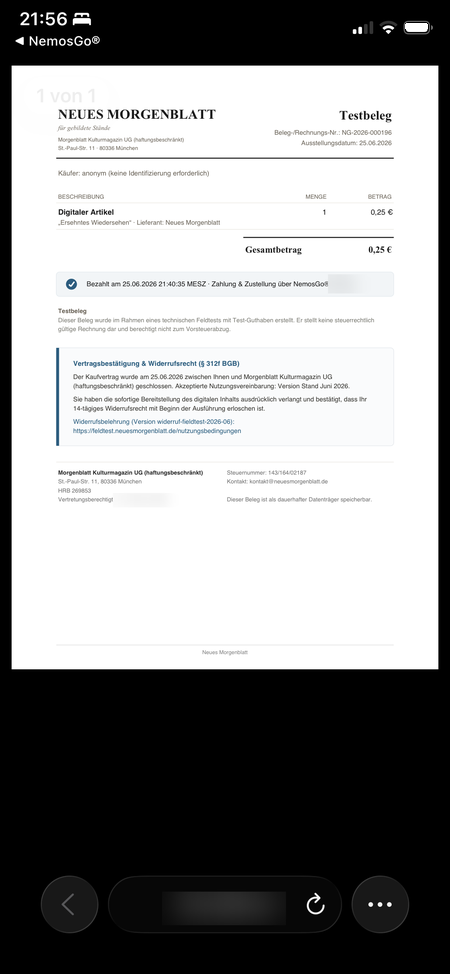
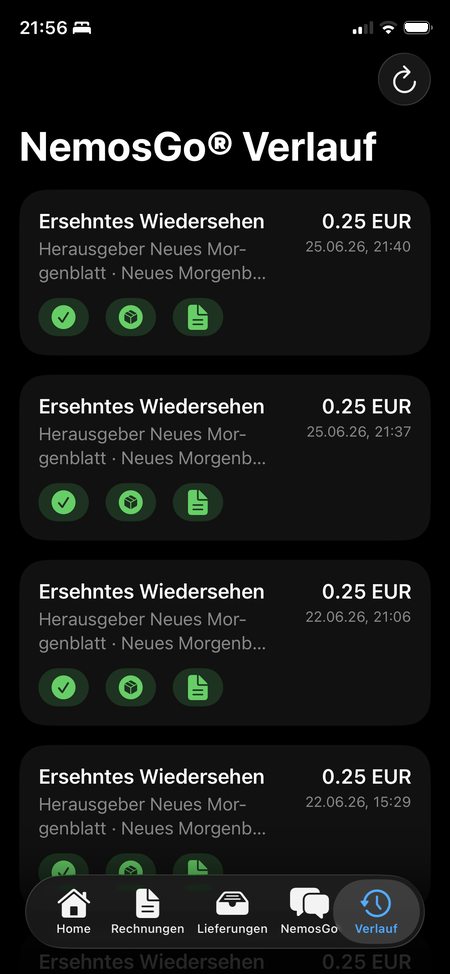
Jeder Kauf erzeugt eine Rechnung. Im Verlauf sehen Sie alle Käufe auf einen Blick.Every purchase creates an invoice. The history shows all your purchases at a glance.

Rechnungen
RechnungenInvoices
Rechnung (Detail)
Rechnung (Detail)Invoice (detail)
Verlauf
VerlaufHistory

Spenden bei Aktion Baum · bis 19. JuliDonating with Aktion Baum · until 19 July

Der Ablauf ist derselbe wie beim Artikelkauf: die Spendenseite im Neuen Morgenblatt öffnen, Betrag wählen (50 Cent, 2,50 Euro oder 5 Euro), mit NemosGo bezahlen. Sie zahlen mit Ihrem Guthaben; das Baum-Zertifikat liegt danach als Lieferung in der App, auf Wunsch mit persönlicher Widmung.The flow is the same as buying an article: open the donation page in Neues Morgenblatt, choose an amount (50 cents, €2.50 or €5), pay with NemosGo. You pay with your credit; the tree certificate then sits in the app as a delivery, with a personal dedication if you wish.

Nach dem KaufAfter the purchase

Feedback gebenGive feedback

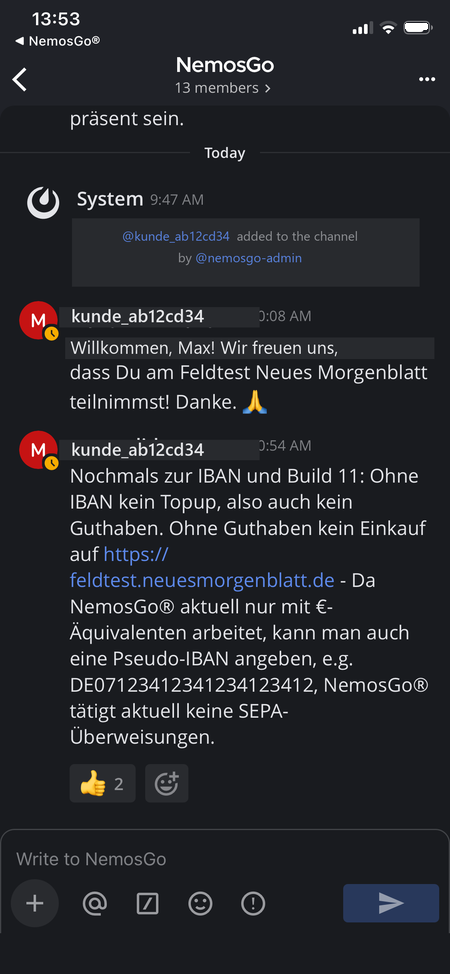
So melden Sie Eindrücke, Fragen oder ein Problem — direkt über Mattermost im Kanal „NemosGo“.Report impressions, questions or a problem — directly via Mattermost in the “NemosGo” channel.

Worüber? Zum Beispiel:About what? For example:

Beispiel-Unterhaltung in Mattermost
Beispiel-UnterhaltungExample conversation

In ca. 1 MinuteIn about 1 minute

ErklärvideoExplainer video

  1. App installierenInstall the app
  2. Anmelden mit Apple-AccountSign in with Apple Account
  3. Mattermost installieren und verbindenInstall and connect Mattermost
  4. Guthaben aufladenTop up credit
  5. Artikel auswählenSelect an article
  6. BezahlenPay
  7. LesenRead
  8. Lieferung (Artikel und Weiteres)Delivery (article and more)
  9. RechnungInvoice

Häufige FragenFrequently asked questions

FAQFAQ

Über NemosGoAbout NemosGo

Was ist NemosGo?What is NemosGo?
Eine europäische Zahlungsinfrastruktur für digitale Güter — Inhalte, Daten, Services. Sie verbindet Zahlung und Lieferung untrennbar und nachweisbar.A European payment infrastructure for digital goods — content, data, services. It links payment and delivery inseparably and verifiably.
Wie funktioniert es?How does it work?
Sie wählen einen Inhalt und bezahlen mit Ihrem Guthaben; der Inhalt wird sofort und nachweislich genau zu dieser Zahlung geliefert — als geschlossene, überprüfbare Kette: Vereinbarung → Zahlung → Lieferung → Beweis.You choose a piece of content and pay with your credit; the content is delivered immediately and verifiably for exactly that payment — as a closed, verifiable chain: agreement → payment → delivery → proof.
Wie hängen NemosGo und Neues Morgenblatt zusammen?How are NemosGo and Neues Morgenblatt connected?
Neues Morgenblatt ist der Anbieter der Inhalte. NemosGo stellt den Bezahlweg als Dienstleistung für Neues Morgenblatt bereit.Neues Morgenblatt is the content provider. NemosGo provides the payment path as a service for Neues Morgenblatt.
Was sind GOs?What are GOs?
GOs sind die Werteinheit in NemosGo — Ihr Guthaben, mit dem Sie Inhalte bezahlen. Damit lassen sich auch kleinste Mikropreise abbilden.GOs are the unit of value in NemosGo — your credit, which you use to pay for content. They can represent even the smallest micro-prices.
Ist mein Geld sicher?Is my money safe?
Im Feldtest fließt kein echtes Geld — es steht nichts auf dem Spiel. Generell ist NemosGo auf Sicherheit ausgelegt: Jede Zahlung ist kryptographisch an die Lieferung gebunden, die Infrastruktur liegt in Europa.No real money flows in the field test — nothing is at stake. In general, NemosGo is built for security: every payment is cryptographically bound to delivery, and the infrastructure is located in Europe.
Wodurch unterscheidet sich NemosGo von einem normalen Bezahldienst?How does NemosGo differ from a normal payment service?
Zahlung und Lieferung sind untrennbar verbunden und beweisbar — nicht zwei getrennte Vorgänge.Payment and delivery are inseparably linked and provable — not two separate processes.

Kosten & GeldCost & money

Kostet mich die Teilnahme etwas?Does taking part cost me anything?
Nein. Im Feldtest fließt kein echtes Geld; Sie erhalten 5 € Guthaben geschenkt.No. No real money flows in the field test; you receive €5 of credit as a gift.
Was ist das Guthaben im Feldtest?What is the field-test credit?
Ein geschenktes Guthaben für den Test. Es ist kein echtes Geld.A gifted balance for the test. It is not real money.
Ist die Spende bei Aktion Baum echt?Is the Aktion Baum donation real?
Im Feldtest spenden Sie Guthaben, kein echtes Geld. Erreichen wir gemeinsam das Ziel von 10 Bäumen, spenden NemosGo und das Neue Morgenblatt den Gegenwert real an die Aktion Baum gGmbH. Das Baum-Zertifikat ist ein Andenken und kein steuerlicher Beleg. Wer zusätzlich echt spenden möchte, kann das direkt bei der Aktion Baum tun.In the field test you donate credit, not real money. If together we reach the goal of 10 trees, NemosGo and Neues Morgenblatt donate the equivalent for real to Aktion Baum gGmbH. The tree certificate is a keepsake, not a tax receipt. If you would like to donate for real as well, you can do so directly with Aktion Baum.
Muss ich eine Zahlungsmethode hinterlegen?Do I have to provide a payment method?
Beim Aufladen ist eine IBAN ein Pflichtfeld — es genügt aber die Beispiel-IBAN, und es wird nichts abgebucht.An IBAN is a required field when topping up — but the example IBAN is sufficient, and nothing is charged.
Was passiert mit übrigem Guthaben am Ende?What happens to leftover credit at the end?
Ihr übriges Guthaben verfällt nicht: Nach dem Feldtest wird es in das reguläre NemosGo-System übernommen.Your remaining credit does not expire: after the field test it is carried over into the regular NemosGo system.

Gerät & TechnikDevice & tech

Welches Gerät brauche ich?Which device do I need?
iPhone 11 oder neuer, mindestens iOS 26.iPhone 11 or newer, at least iOS 26.
Gibt es eine Android-Version?Is there an Android version?
Im Feldtest nicht — aktuell nur iOS.Not in the field test — currently iOS only.
Kann ich NemosGo auf mehreren Geräten nutzen?Can I use NemosGo on several devices?
Nein — und das ist bewusst so („by design"). Ihr Guthaben liegt wie Bargeld direkt auf Ihrem Gerät, in Ihrem persönlichen „Portemonnaie" — nicht in einem Konto in der Cloud. So wie Sie Ihren Geldbeutel nur an einem Ort dabeihaben, ist auch NemosGo an ein Gerät gebunden. Möchten Sie das Gerät wechseln, wenden Sie sich bitte an den Support — wir helfen Ihnen weiter.No — and that’s deliberate (“by design”). Your credit sits like cash directly on your device, in your personal “wallet” — not in an account in the cloud. Just as you carry your wallet in only one place, NemosGo is tied to one device. If you want to switch devices, please contact support — we’ll help you.
Was ist TestFlight?What is TestFlight?
Apples offizielle Beta-App, kostenlos; damit installieren Sie die NemosGo-Test-App.Apple’s official beta app, free of charge; you use it to install the NemosGo test app.
Was ist Mattermost?What is Mattermost?
Ein sicherer Gruppen-Chat für Feedback und Austausch. Sie installieren die kostenlose Mattermost-App und melden sich mit den Zugangsdaten an, die beim NemosGo-Onboarding erzeugt werden.A secure group chat for feedback and exchange. You install the free Mattermost app and sign in with the credentials generated during the NemosGo onboarding.
Woher bekomme ich meine Mattermost-Zugangsdaten?Where do I get my Mattermost credentials?
Sie entstehen beim NemosGo-Onboarding und stehen in der NemosGo-App unter „Personal View". Fehlen sie, melden Sie sich per E-Mail.They are created during the NemosGo onboarding and appear in the NemosGo app under “Personal View”. If they’re missing, get in touch by email.

AblaufProcess

Wie läuft die Teilnahme ab?How does taking part work?
App installieren → anmelden → Guthaben → Artikel wählen → bezahlen → lesen.Install the app → sign in → credit → choose an article → pay → read.
Wie bekomme ich den gekauften Inhalt?How do I receive the purchased content?
Er wird Ihnen direkt geliefert und ist sofort lesbar.It is delivered to you directly and is readable immediately.
Bekomme ich eine Rechnung?Do I get an invoice?
Ja, zu jedem Kauf.Yes, for every purchase.

Konto & DatenAccount & data

Brauche ich ein Konto bei Neues Morgenblatt?Do I need an account with Neues Morgenblatt?
Nein.No.
Gilt die DSGVO auch im Test?Does the GDPR apply during the test too?
Ja. Der Feldtest läuft vollständig nach DSGVO; wir erheben so wenig Daten wie möglich.Yes. The field test runs fully in accordance with the GDPR; we collect as little data as possible.
Was bedeutet „Privacy by design"?What does “privacy by design” mean?
„Privacy by design" heißt, dass Datenschutz von Grund auf in die Technik eingebaut ist und nicht erst nachträglich hinzukommt — gesetzlich verankert in Art. 25 DSGVO („Datenschutz durch Technikgestaltung"). Bei NemosGo bedeutet das konkret: Gegenüber dem Anbieter treten Sie ohne Konto und ohne Klarnamen auf — er sieht nur ein Pseudonym, keine reale Identität. Es werden nur die Daten erhoben und verarbeitet, die für den jeweiligen Schritt nötig sind (Datenminimierung), die gesamte Infrastruktur liegt in Europa und unter europäischer Rechtshoheit, und die Zahlung ist kryptografisch abgesichert.

„Privacy by design" ist dabei nicht dasselbe wie „anonym": Es heißt nicht, dass gar keine Daten anfallen, sondern dass so wenig wie möglich anfallen — und diese bestmöglich geschützt sind. (Im Feldtest selbst sind Sie nicht anonym — für Einladung und Support nutzen wir Ihre Kontaktdaten.)
“Privacy by design” means that data protection is built into the technology from the ground up rather than added afterwards — legally enshrined in Art. 25 GDPR (“data protection by design”). At NemosGo this means concretely: towards the provider you appear without an account and without your real name — they see only a pseudonym, not a real identity. Only the data required for each step is collected and processed (data minimisation), the entire infrastructure is located in Europe and under European jurisdiction, and payment is cryptographically secured.

“Privacy by design” is not the same as “anonymous”: it does not mean that no data arises at all, but that as little as possible arises — and that it is protected as well as possible. (In the field test itself you are not anonymous — we use your contact details for invitation and support.)
Welche Daten werden erhoben?What data is collected?
Nur das, was für die Teilnahme nötig ist, plus Nutzungs- und Telemetriedaten zum Ablauf — auf Basis Ihrer Einwilligung. Details in der Datenschutzerklärung.Only what is necessary for participation, plus usage and telemetry data about the process — based on your consent. Details in the privacy policy.
Wozu die Telemetriedaten?What are the telemetry data for?
Damit wir sehen, wo der Kauf- und Lesevorgang hakt und wie verlässlich die Technik läuft.So that we can see where the buying and reading flow snags and how reliably the technology runs.
Wer ist für meine Daten verantwortlich?Who is responsible for my data?
NemosGo und Neues Morgenblatt haben getrennte Datenschutzerklärungen, je nach Schritt. Beide sind verlinkt.NemosGo and Neues Morgenblatt have separate privacy policies, depending on the step. Both are linked.

Dauer & SupportDuration & support

Wie lange läuft der Test?How long does the test run?
1. Juli bis 31. August 2026.1 July to 31 August 2026.
Wie gebe ich Feedback oder melde ein Problem?How do I give feedback or report a problem?
Über Mattermost.Via Mattermost.